August 26th, 2026

Poggio chat is now in Slack: Ask Poggio questions about an account, get guidance on the best sales plays, and prep for an upcoming sales call, right in your flow of work. With this update, chat is no longer available in the Poggio app. To get the enhanced chat experience, install Poggio in Slack.
August 26th, 2026
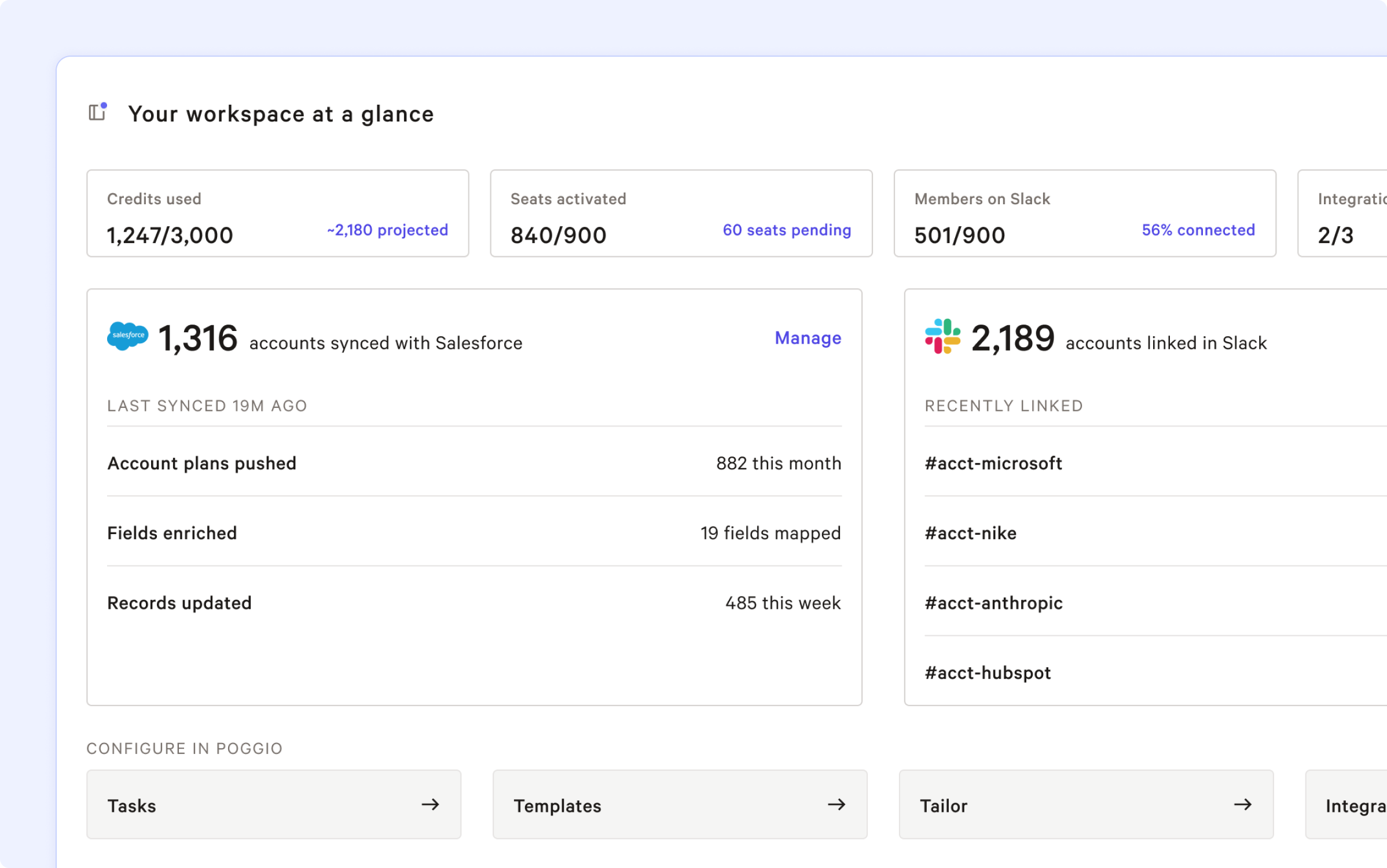
We’ve launched a new Poggio Home for admins to give you more visibility and control in how you deliver real-time intelligence to your sellers in their flow of work.
As your revenue organization scales, you can now see the value of Poggio scaling with it across Slack and Salesforce.
This includes the number of account plans proactively being pushed to your sellers in Salesforce, the work Poggio agents are automating behind the scenes to enrich CRM fields and update records with real-time intelligence, the number of accounts linked in Slack, and more.
The new consolidated view brings together usage metrics, configuration details, integrations, and updates into a single screen, making it easier to manage your Poggio deployment while ensuring your team gets the most value from Poggio.
From the Admin Home you can complete configuration of your team’s Poggio workspace:
Create tasks and templates
Tailor Poggio to your GTM motion, ICP, solutions, and value framework to scale best practices and proven sales plays
Add users, manage billing, and purchase additional credits for your sellers
And speaking of sellers, while most use Poggio in their flow of work in Slack and Salesforce, we've also streamlined the seller Workspace Home into a focused starting point for finding, adding, and jumping back into accounts, centered on account search and recent accounts. That way sellers who prefer using the Poggio app can quickly get to the deep account intel that helps them move deals forward.
We look forward to seeing your success with the new Poggio Home, as well as your feedback on ways we can make Poggio even more valuable to your revenue organization.
June 18th, 2026
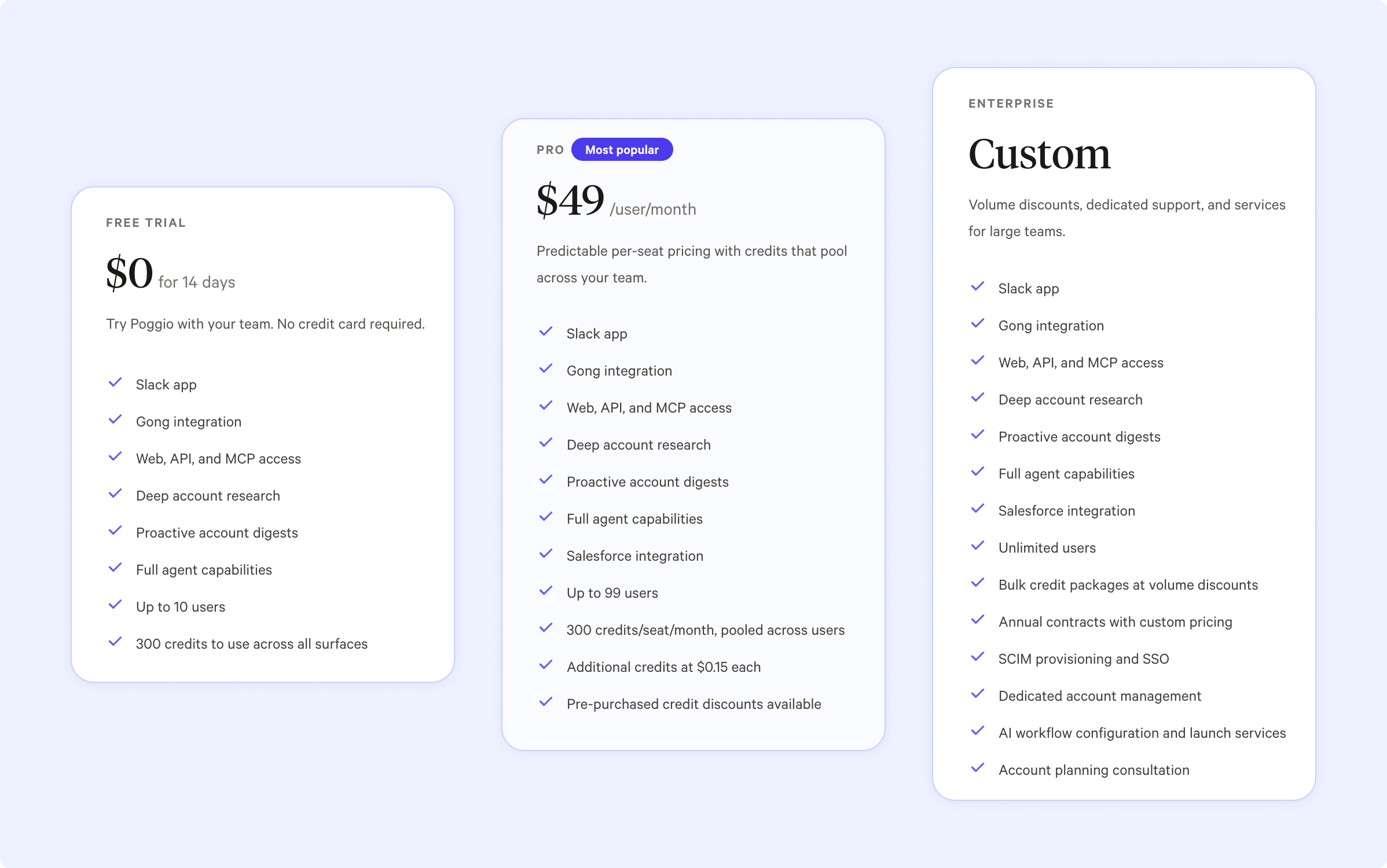
Poggio now offers a Pro Plan for $49/user/month. Get Poggio’s real-time intelligence, tailored POVs, stakeholder maps, and automated account plans across all of your accounts to close more deals! Click here to learn more.
April 14th, 2026
Poggio launched its new Slack app, Salesforce managed package, and Agentforce extension on AgentExchange. Revenue leaders and Salesforce admins can now proactively push real-time account intelligence and updates direct to sellers where they work in Slack and Salesforce, while giving agents the real-time context needed to take the right action with every account. Poggio agents operate alongside sellers as teammates, putting Poggio customer intelligence at the center of the daily workflows of GTM teams to arm sellers and agents to close more deals and drive customer value. Poggio agents automate account research, prioritization, planning, next actions, and more to transform how revenue organizations drive growth. More here: https://poggio.io/post/poggio-revenue-agents-launch-on-agentexchange
September 16th, 2025
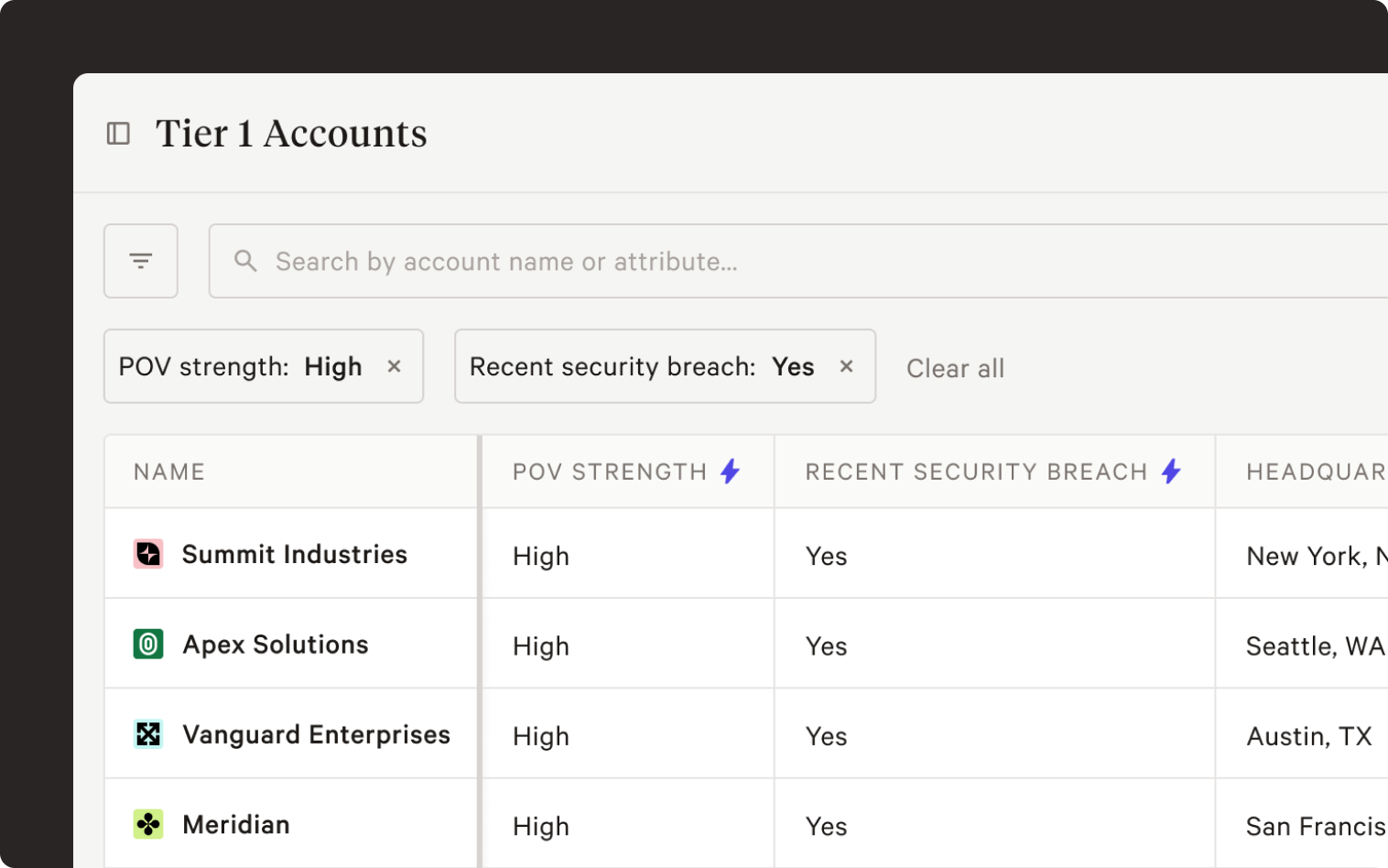
We've made it easier to focus on your most important accounts. With Saved Views, you can save the preferred setup of your Accounts table—filters, sorting, and column arrangement—so you can instantly jump to the accounts that matter the most.
This feature replaces the previous pinning functionality with a more robust and flexible solution for organizing your accounts. We've already migrated your pinned accounts and folders for you, now available as Saved Views with the same name.
You can find your Saved Views at the top of the Accounts page and in the sidenav. And to make sure you never miss an update, your email digest will now automatically track those same accounts from all your Saved Views.
To see this feature in action, watch the demo:
September 8th, 2025

Model Context Protocol (MCP) is an open standard originally developed by Anthropic that's fundamentally changing how AI agents access enterprise data and tools. Think of MCP as a universal translator that enables AI agents to communicate with databases, APIs, and business applications using a standardized interface.
Now your custom agents and LLM chat applications can easily connect to Poggio’s deeply researched account intelligence through MCP. Access our precomputed deep research to increase quality and reduce cost of your agent automation projects, available now, at no extra cost.
August 7th, 2025
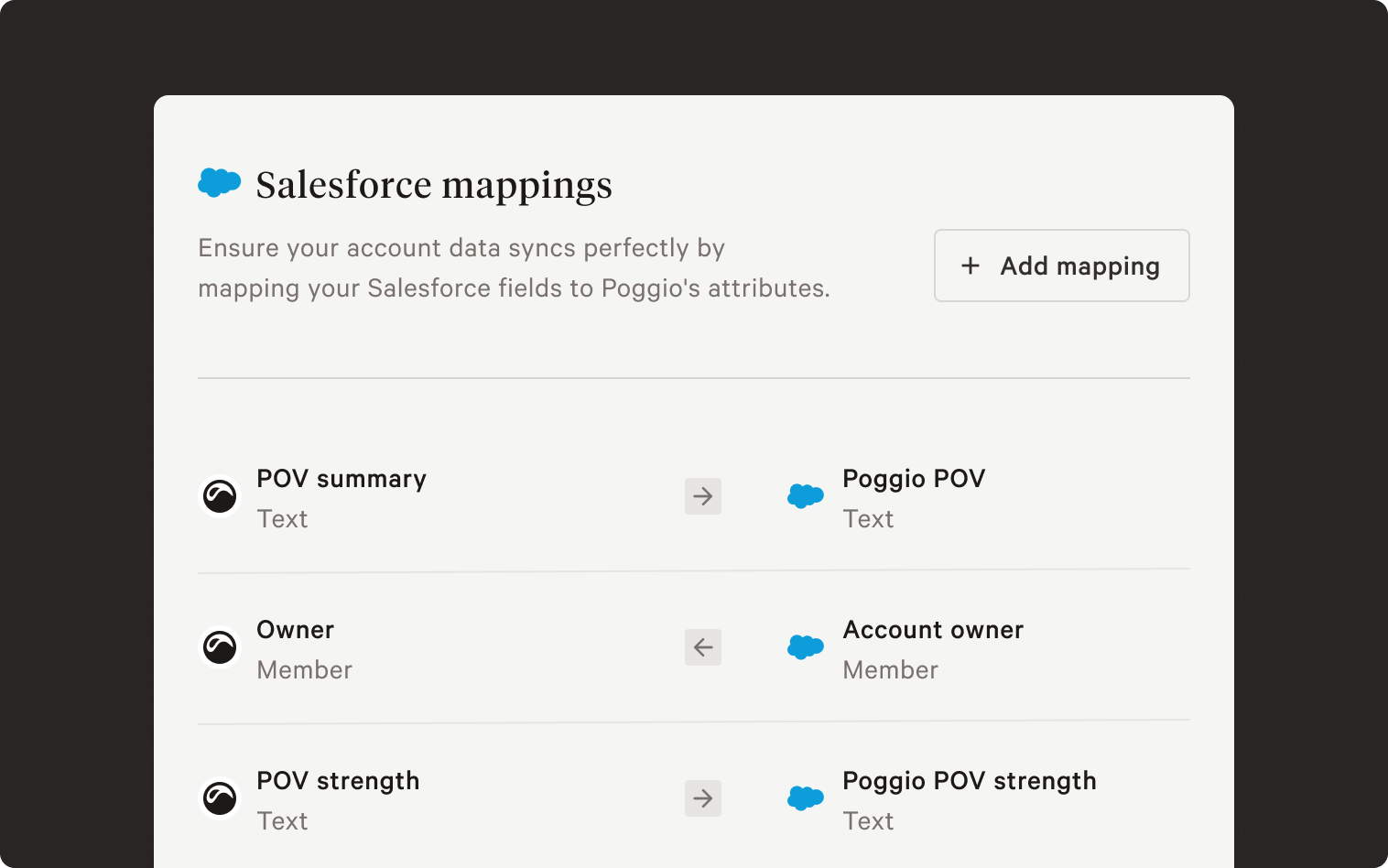
Operate from a singular, exec-level POV across your entire organization with Poggio's new Salesforce integration. Poggio can push custom attributes to Salesforce, including POV summaries and account prioritization based on POV strength. The integration also syncs fields from Salesforce into your Poggio workspace for use in account filtering, sorting, and more.
Admins can enable the integration by contacting sales@poggio.io
July 26th, 2025
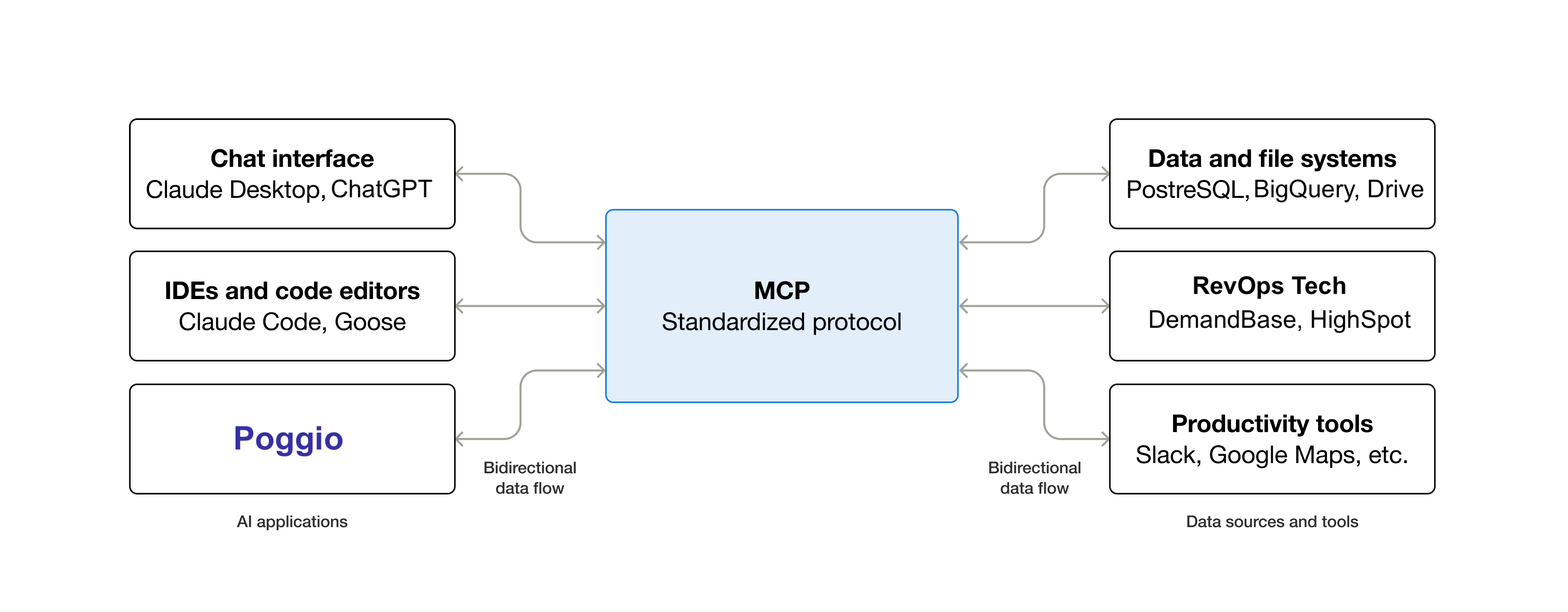
Model Context Protocol (MCP) is an open standard developed by Anthropic that's fundamentally changing how AI agents access enterprise data and tools. Think of MCP as a universal translator that enables AI agents to communicate with databases, APIs, and business applications using a standardized interface.
Now RevOps teams can easily connect internal datasets and data sources, from internal warehouse tables to all the SaaS apps in the revenue tech stack to the Poggio context engine. Poggio proactively learns how to use these novel MCP tools, bypassing brittle prompt and agent engineering that would normally be required. The result? Unprecedented synthesis of the inside and outside views of your customers, ready for consumption by your sales team and sales agents.
July 1st, 2025
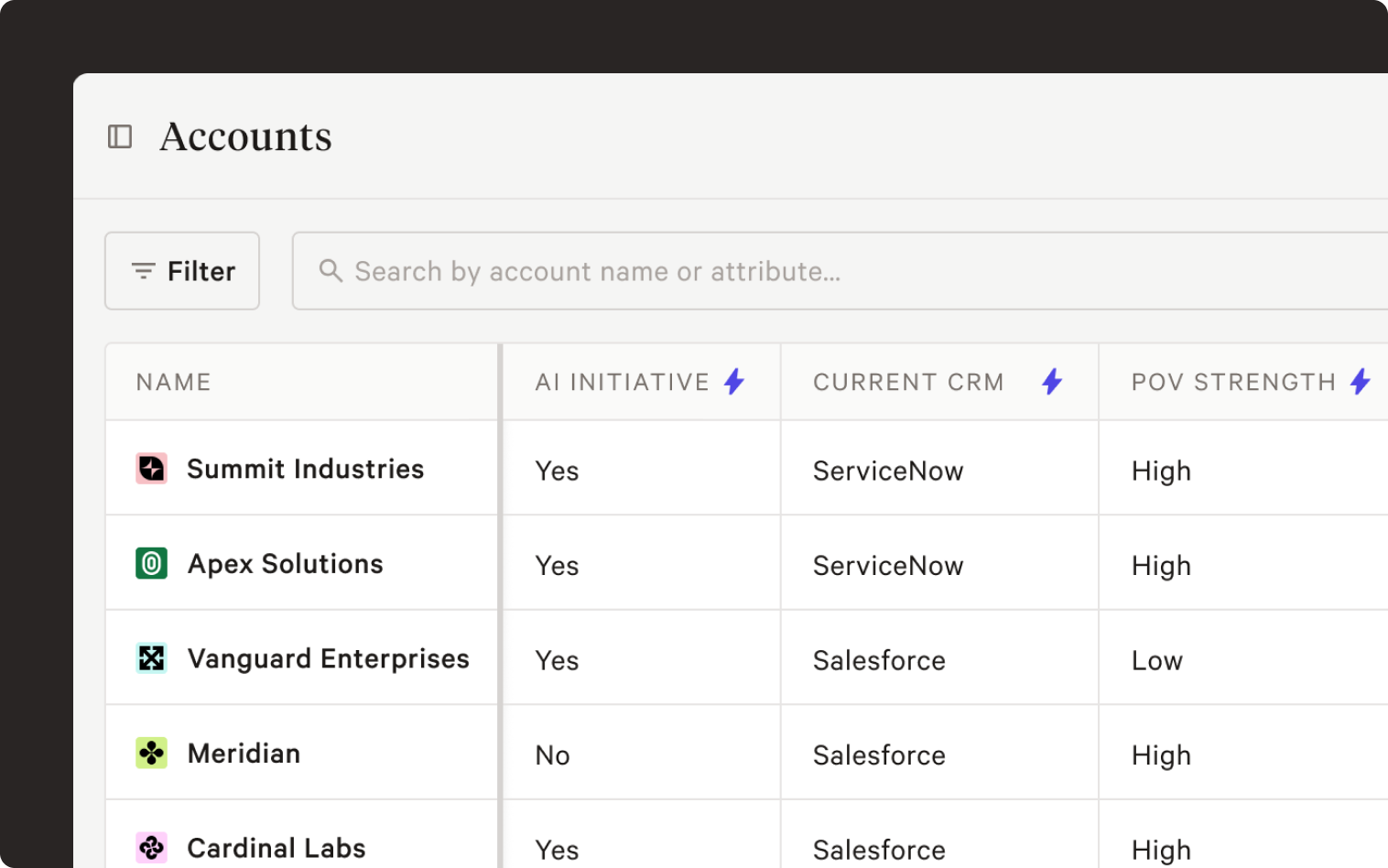
Custom attributes give you focused insight and the power of prioritization for every account in your workspace. Define the characteristics of your POV as an attribute–for example: “does this account have a current AI initiative?” or “what is the account’s data technology stack?”–then prioritize using the strength of each POV.
Custom attributes are available to Poggio admins–contact your account rep or reach out to sales@poggio.io to get started.
March 21st, 2025
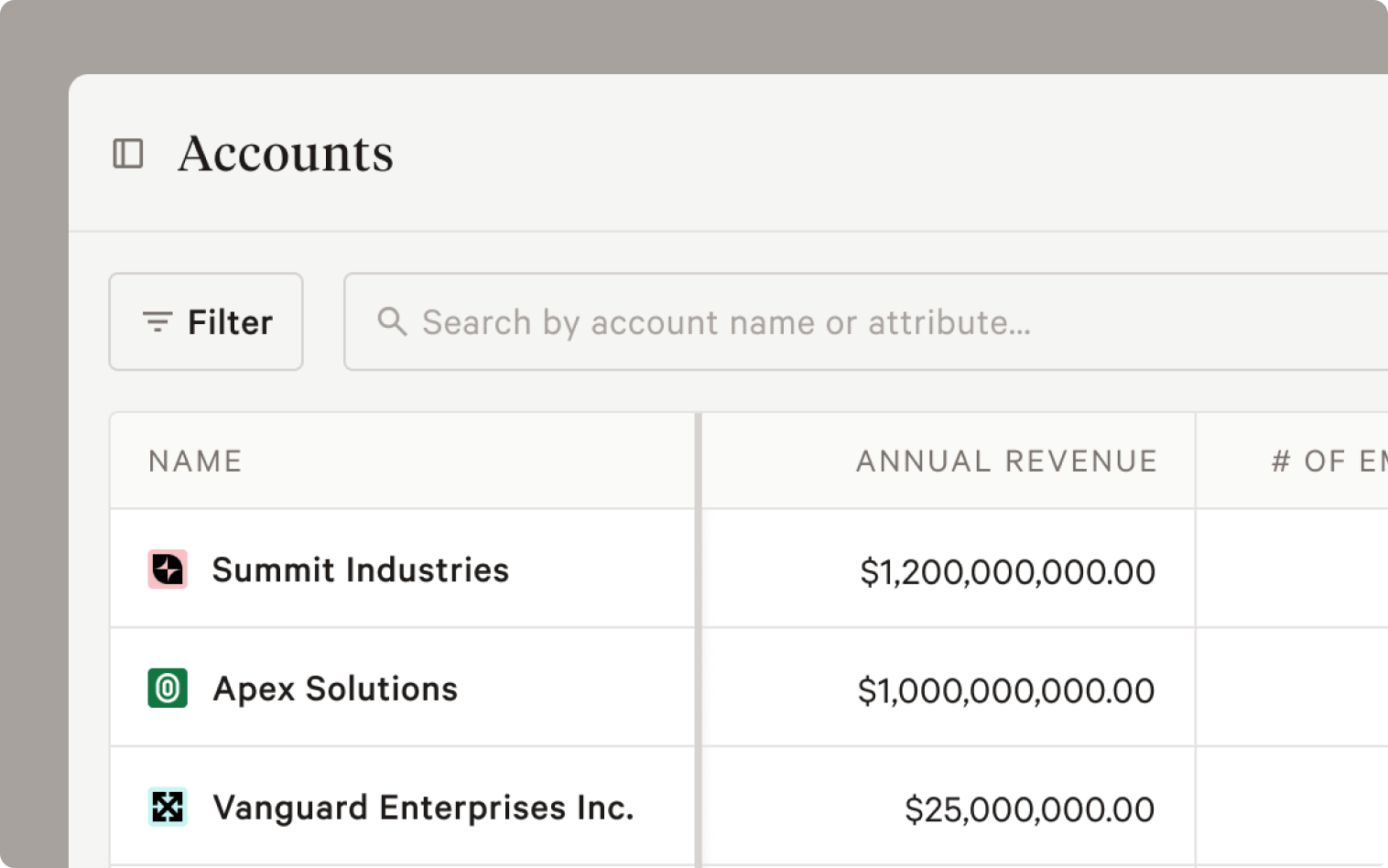
Poggio now includes attributes for every account in your workspace. Attributes include data like revenue, employee count, and more coming soon. Click on Accounts in the side nav to access the new account view, where you can prioritize by sorting and filtering on account attributes. We've also added full-text search, so you can find individual or groups of accounts faster.